


Introduction to axios onreadystatechange and Why Developers Search It
When developers begin working with APIs in JavaScript, they often come across a confusing combination of concepts. One of the most commonly searched terms is “axios onreadystatechange”, which usually creates misunderstanding. Many beginners assume that onreadystatechange is a built-in feature of Axios, but that is not correct.
In reality, axios onreadystatechange is not a real API or function provided by the library. Instead, it comes from how older browser request systems work internally. Developers see it while debugging network requests and assume it is part of Axios itself. Understanding this confusion is important because it helps clarify how modern HTTP requests actually work in JavaScript applications.
This article explains axios onreadystatechange, its internal connection, how Axios works behind the scenes, and why modern development no longer depends on low-level request events.
What Axios Really Is in Modern Web Development
Axios is a powerful and widely used JavaScript library that simplifies HTTP requests in both browser and Node.js environments. Instead of manually handling complex request states, developers can use a clean and structured syntax to interact with APIs.
A simple Axios request looks like this:
axios.get("https://api.example.com/users")
  .then(response => {
    console.log(response.data);
  })
  .catch(error => {
    console.log(error);
  });
This simplicity is why Axios is preferred in many modern applications. However, when developers explore internal behavior, they sometimes encounter references to axios onreadystatechange, which leads them to believe Axios exposes low-level browser events. That assumption is incorrect because Axios abstracts all internal request handling.
The reality is that Axios works on top of browser or Node networking systems and hides everything related to request states.
Understanding onreadystatechange in JavaScript
To fully understand axios onreadystatechange, it is necessary to look at the origin of onreadystatechange. This event belongs to the older browser API:
XMLHttpRequest
This API was the first major way JavaScript communicated with servers before modern solutions like Fetch or Axios existed.
When a request is made using XMLHttpRequest, it goes through multiple internal states. The onreadystatechange event triggers every time the request changes its state. These states range from initialization to completion, and developers must manually check them to know when the response is ready.
For example, a basic implementation looks like this:
const xhr = new XMLHttpRequest();

xhr.onreadystatechange = function () {
  if (xhr.readyState === 4 && xhr.status === 200) {
    console.log(xhr.responseText);
  }
};

xhr.open("GET", "https://api.example.com/data", true);
xhr.send();
Before modern libraries, this was the standard way of handling HTTP requests. However, it was complex and required careful state management.
This is where the confusion of axios onreadystatechange begins, because Axios internally may still rely on this system in some environments.
Why axios onreadystatechange Exists as a Concept
The term axios onreadystatechange does not represent a real function, but it exists as a concept because of how Axios works internally. When Axios runs in a browser environment, it may use XMLHttpRequest as its underlying engine.
In such cases, onreadystatechange is triggered behind the scenes. However, developers never interact with it directly. Axios listens to these internal events and converts them into Promises.
So when someone talks about axios onreadystatechange, they are usually referring to the hidden relationship between Axios and XMLHttpRequest, not an actual API usage.
In modern environments, Axios may also use the Fetch API instead, which does not rely on onreadystatechange at all. This means axios onreadystatechange is only relevant from an internal or historical perspective.
How Axios Handles Requests Behind the Scenes
When a developer calls Axios, many steps happen internally without being visible. First, Axios creates a request instance and selects the correct adapter based on the environment. Then it sends the request using either XMLHttpRequest or Fetch.
During this process, if XMLHttpRequest is used, internal events such as onreadystatechange may fire. However, Axios does not expose these events directly. Instead, it listens to them and converts everything into a Promise-based structure.
This is why developers using Axios never need to deal with axios onreadystatechange directly. The library hides all low-level state tracking and presents a simple success or error response.
Once the request completes, Axios resolves or rejects a Promise with structured data, making it much easier to work with compared to manual event handling.
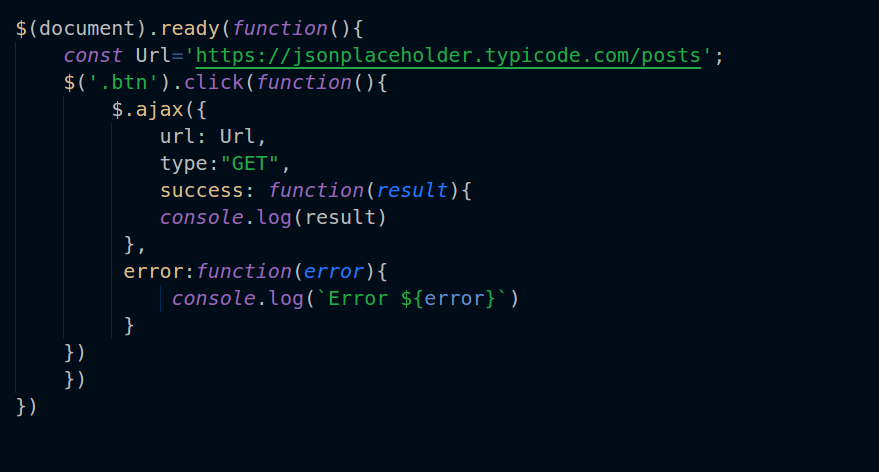
Why Developers Moved Away from onreadystatechange
Before modern tools like Axios, developers relied heavily on onreadystatechange for managing HTTP requests. While it worked, it created several challenges.
One major issue was complexity. Even a simple request required multiple steps, including checking ready states and handling multiple conditions manually. This made the code difficult to read and maintain.
Another issue was inconsistency. Developers often implemented error handling differently, which led to unpredictable behavior across applications.
Because of these limitations, modern solutions like Axios were created. Today, when developers search for axios onreadystatechange, they are usually trying to understand how modern libraries replaced these older patterns.
The Role of Axios in Modern Applications
Axios plays a central role in modern web development. It is used in frameworks like React, Vue, and Node.js applications to handle API communication efficiently.
One of the key advantages of Axios is its ability to abstract complexity. Instead of manually dealing with request states like in axios onreadystatechange, developers work with Promises and async/await syntax.
For example:
async function getData() {
  try {
    const response = await axios.get("/api/data");
    console.log(response.data);
  } catch (error) {
    console.log(error);
  }
}
This makes code cleaner and more maintainable. Developers no longer need to worry about internal request states or events.
Modern Alternatives and Where axios onreadystatechange Fits
Today, JavaScript also provides a built-in alternative called the Fetch API. While it simplifies HTTP requests, it still requires some manual handling for tasks like JSON parsing and error checking.
Axios improves on this by adding extra features such as interceptors, automatic JSON handling, and better error management.
In comparison, axios onreadystatechange belongs to an older generation of request handling that developers no longer need to interact with directly. It only exists as part of internal browser behavior when Axios uses XMLHttpRequest in the background.
So while the term appears in searches, it does not represent a modern development practice.
Common Misunderstandings About axios onreadystatechange
Many beginners assume that axios onreadystatechange is something they need to write in their code. This is incorrect. Axios never requires direct usage of onreadystatechange.
Another misunderstanding is that Axios always depends on XMLHttpRequest. In reality, Axios may switch between different adapters depending on the environment.
A third misconception is that onreadystatechange improves Axios performance or control. In truth, Axios already handles all optimizations internally.
Conclusion
The concept of axios onreadystatechange is mainly a misunderstanding caused by how modern JavaScript libraries abstract older browser APIs. While onreadystatechange belongs to XMLHttpRequest, Axios simply uses these systems internally when needed and hides them completely from developers.
Understanding axios onreadystatechange helps developers appreciate how far web development has evolved. Instead of manually tracking request states, modern tools like Axios provide clean, efficient, and reliable abstractions.
In today’s development world, developers no longer need to interact with low-level events. Instead, they focus on building applications while libraries like Axios handle complexity behind the scenes.
FAQs
Q: What is axios onreadystatechange?
A: “axios onreadystatechange” is not a real Axios feature. It refers to internal XMLHttpRequest behavior that Axios may use in the background.
Q: Does Axios use onreadystatechange directly?
A: No, Axios does not expose or require onreadystatechange. It handles requests using Promises instead.
Q: Why do developers search axios onreadystatechange?
A: Because they see it while debugging network requests and mistakenly think it is part of Axios.
Q: What is the role of onreadystatechange in HTTP requests?
A: It tracks request state changes in XMLHttpRequest and signals when a response is ready.
Q: Should I use onreadystatechange with Axios?
A: No, Axios already handles request states internally, so onreadystatechange is not needed.

